Unified Authentication
Client
Gloo
Deliverables
Tools
Mobbin
Claude
Figma
Photoshop
Role
Lead designer and front-end builder
Platform
Web (hosted login)
Project Overview
One login for every Gloo product
Gloo’s apps each had their own login and sign up experience: different teams, sometimes different databases, and screens that looked nothing alike. What started as a personal initiative grew into a project I earned the backing of product owners and the engineering team to pursue.
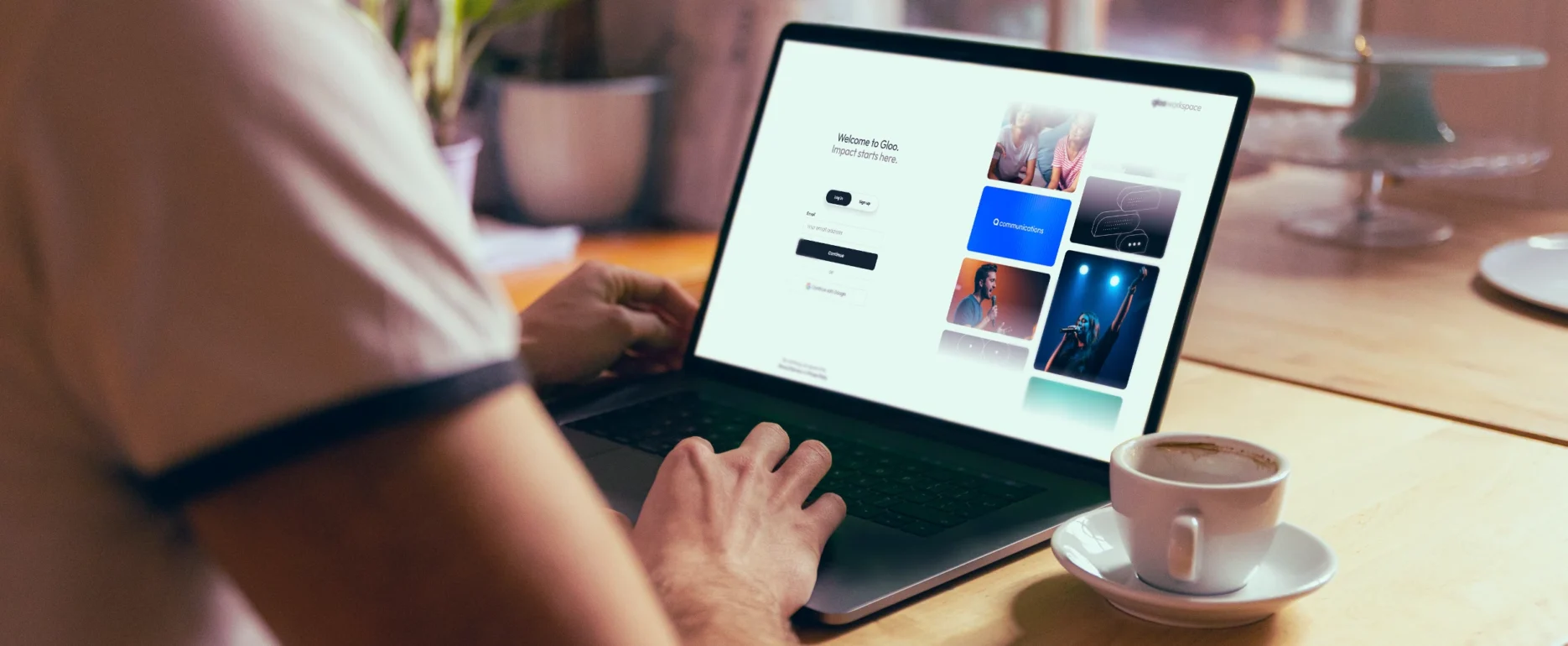
I led the design, presented my thinking to stakeholders at every stage, and built the final experience myself with Claude Code. Every product team’s login page was retired in favor of one animated, responsive, modular login, designed so a non-designer could keep it current as the product suite grows.
The Challenge
A fractured first impression
Our audit found at least three different login experiences, and none of them told users where they were. If someone subscribed to two Gloo products, switching apps meant landing on a different-looking screen each time, which is exactly the kind of inconsistency that makes a person wonder whether they’re about to sign in to the wrong site, or a malicious one.
The hosted environment made it harder. Our canvas was essentially blank: for brand alignment we had border radii, border colors, and headline fonts. And because it was a hosted UI, we were working inside someone else’s sandbox. The bar was low, but the expectations were high.
- At least three distinct login experiences across the product suite
- No Gloo or app branding to confirm which product a user was entering
- No contextual language identifying the product being accessed
- Separate, near-identical sign in and sign up pages that users confused
- Hosted UI that sanitized out all client-side scripting, so motion had to be CSS-only
- A missed opportunity to show users the other products Gloo offers


Research & Discovery
Audit, explore, align
Before designing, I put together a small design group to audit ourselves and iterate against what we found. From there, the work moved through a series of rounds, each one answering a question the last one raised.
- Audit of every existing login and sign up experience
- Pattern comparison across products
- Review of best-in-class authentication experiences
- Light-touch concept, tested against stakeholder expectations
- Full brand exploration across imagery, type, color, and patterns
- Rose, bud, thorn evaluation with the product design team
3+
distinct login experiences found, none with Gloo or app branding
2→1
separate sign in and sign up pages merged into one page with a toggle
0
lines of JavaScript: the animation was built entirely in CSS
Audit ourselves
I collected every login experience we had, compared them, and looked at which patterns we were using and which we weren’t. We found at least three different experiences with no Gloo labels, no app branding, and no language telling users what they were logging into. That finding became the input for our rose, bud, thorn review.
Assess the landscape
There are some really elegant authentication experiences out there, so how could we level up within our constraints? How could we differentiate with some innovative elements? Could motion make a frequently visited page feel less stale?

Light touch
I had creative momentum coming out of discovery, and the stakeholder question was a fair one: what’s the lightest touch we can do in the quickest time? So I did a quick pass. It looked better, but it didn’t solve our original problems of user context and multi-product adoption. Stakeholders now understood how deep we’d need to go.


Using the whole brand
With that buy-in, I pulled in everything the brand had to offer: imagery, typography, colors, patterns, and marketing assets. Along the way came a request to make the logo bigger, so I explored it. We were headed in the right direction, but the glow effect wasn’t doing us any favors, and we moved to light mode as the default for two reasons. Leadership felt dark mode read as ominous, and our products are light mode, so continuity mattered for a unified experience across the suite.
Check out the details in my Figma 👈
Rose, bud, thorn
I ran a rose, bud, thorn exercise with the product design team to find where the opportunities were and which ideas didn’t have legs. It prompted questions about why I’d chosen certain patterns and colors, and how I was using existing brand elements. It surfaced several real tensions:
- Illustration patterns. Our illustration patterns were underused, and the exercise raised how they should be applied.
- Color systems. Individual product color themes don’t sit well next to the global Gloo brand colors.
- Fluted glass texture. We liked it, but the corporate brand team had overused it in marketing, so we were asked to avoid it.
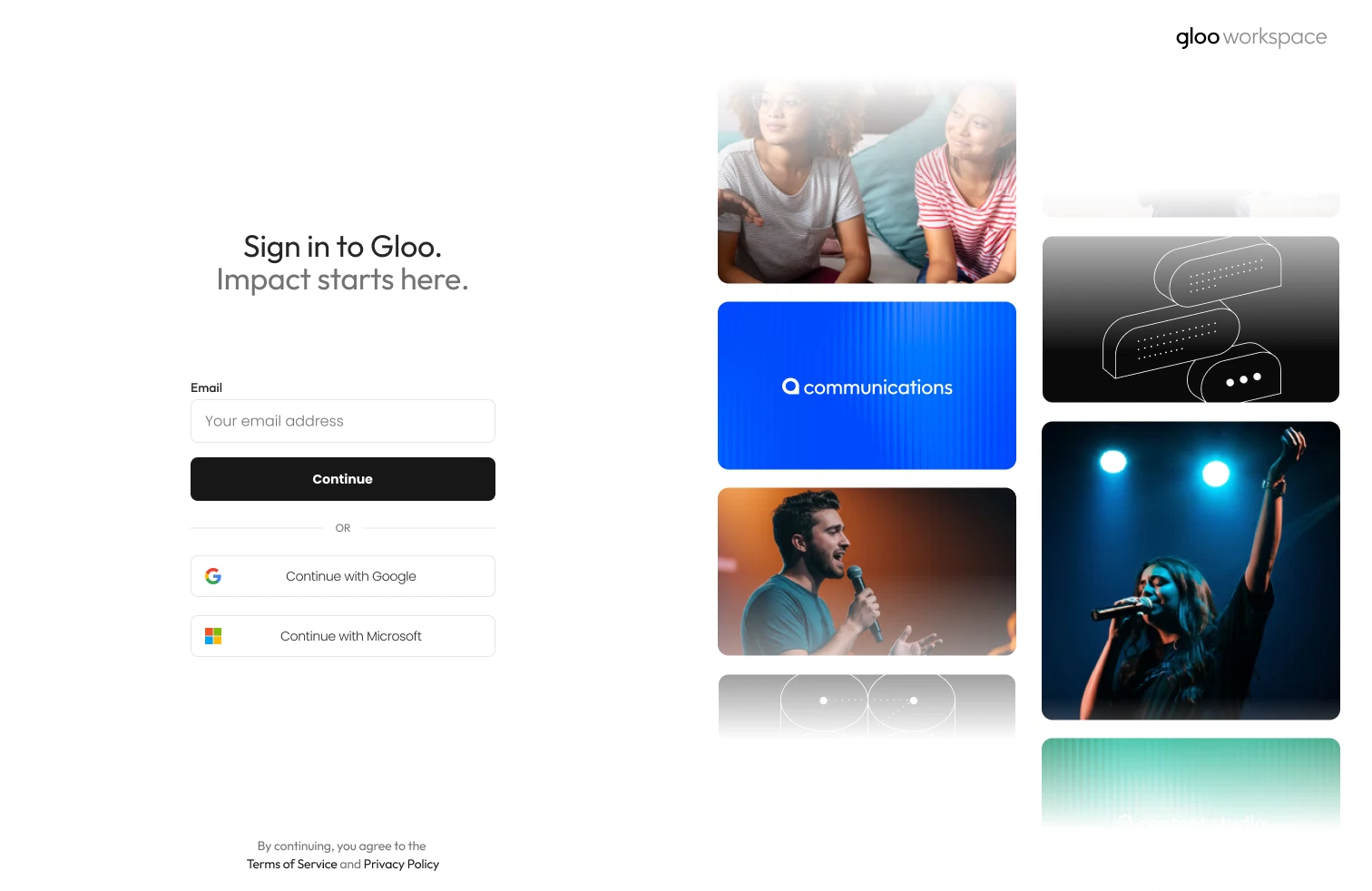
- Sign in vs. sign up. Users were confusing the two pages because they were nearly identical and lived apart. I built a toggle that swaps the form fields and CTA on a single page, so one screen serves new and returning users.
What we decided
The exercise let us decide together to lead with each product’s own colors and logos rather than the Gloo brand. That also opened the door to cross-pollination: showing users products they weren’t yet subscribed to.
The page also had to stay evergreen. Gloo would keep adding apps, and we didn’t want to come back to design and code it every few months. I had a more marketing-driven concept: revolving carousels of our apps with photos of users in context, animated to keep a frequently visited page from feeling stale. It wasn’t well received at first, but it was later judged the best direction for upselling and for keeping the page current the longest.
My Solution
A login that builds confidence
The final design pairs a single sign in / sign up form with two vertically rotating carousels of Gloo apps, marketing photography, and brand elements. Several earlier concepts used full panels for individual apps, or customer testimonials. With only three apps to feature, those felt thin and stale. Two rotating carousels gave us variety, room for multi-product visibility and upselling, and a way to give users confidence rather than just information. Because this is a unified login, it doesn’t need to announce which app a user is entering. The animated logos let them recognize their destination.
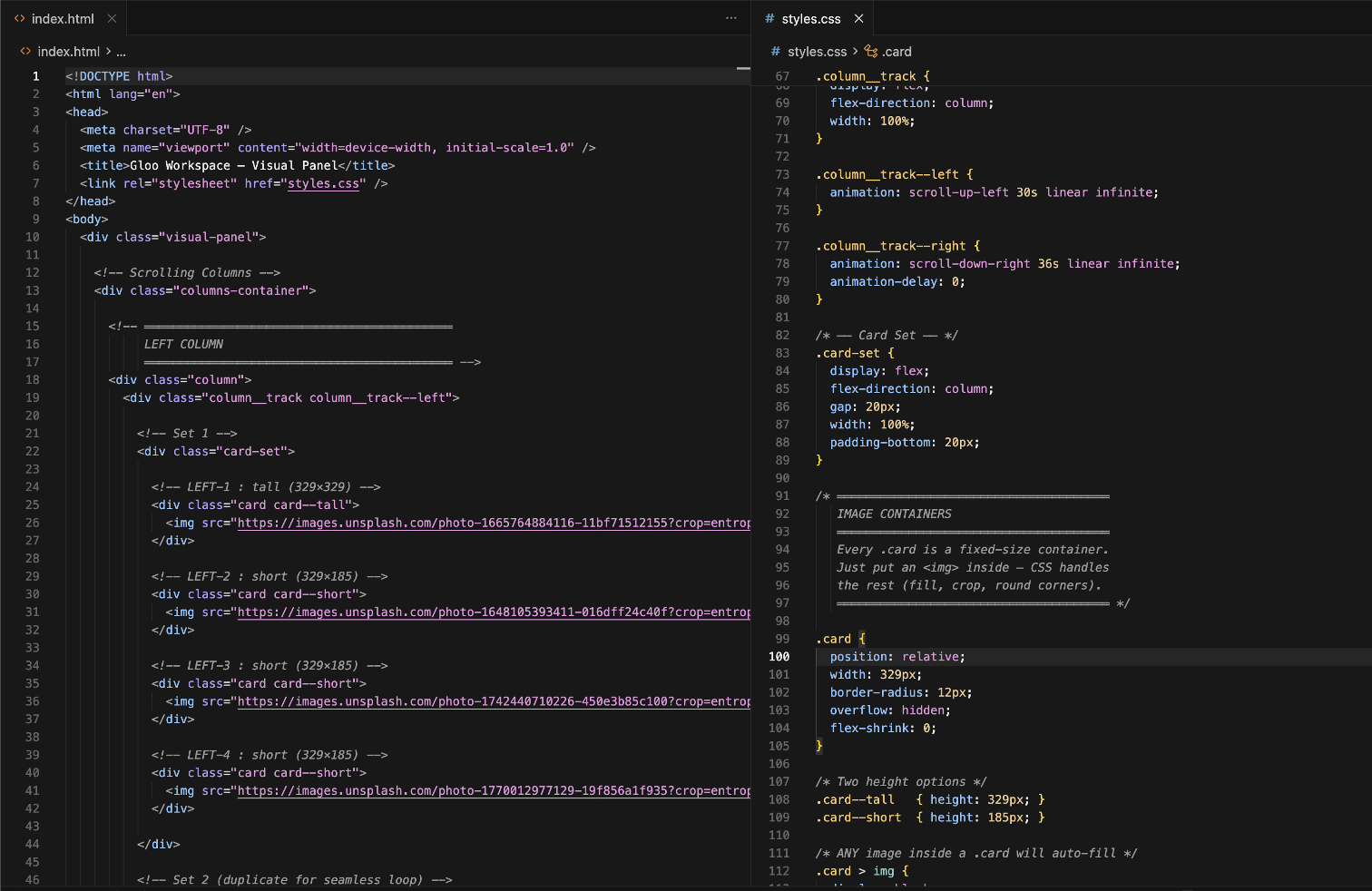
I used Claude Code to turn the Figma files into production code. The hosted environment allowed no JavaScript, JSON, or scripting of any kind, so the animation is built entirely with CSS transitions and keyframes. It also had to be easy for a non-designer, non-engineer to maintain as the product suite grew. I annotated the code heavily so it’s clear exactly what to duplicate, and where, to add a new product to the carousels. I also built in auto-cropping, so any image or logo dropped in keeps the look of the animation consistent.
After launch, every team’s login page was deprecated and all traffic moved to the unified login. Stakeholders were on board and excited about the change. I built and deployed it as the designer, without developer or engineering support.
✅ Users recognize the product they’re logging into
✅ Evergreen and modular; easy for the brand team to update without a designer or engineer
✅ Every Gloo product represented
Explore More
Explore More
Explore More
Explore More
Teal Drones